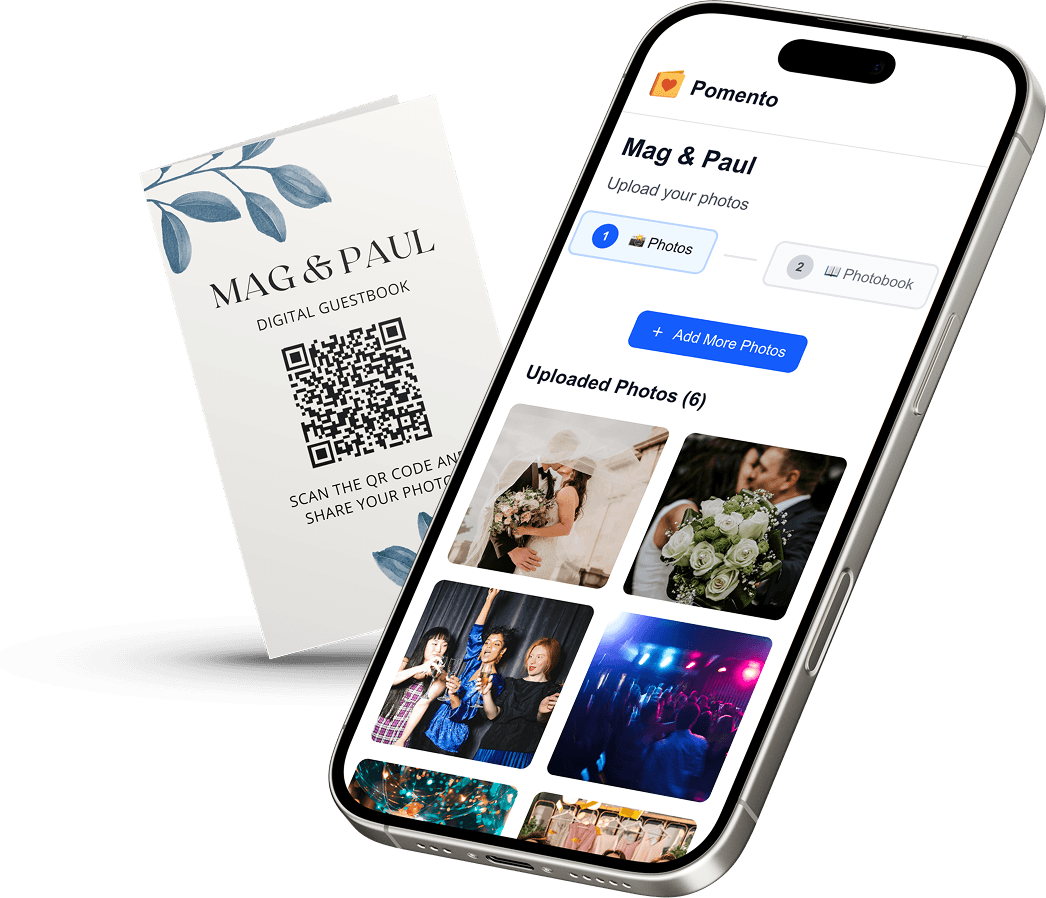
The best graduation video message is a short clip from someone who matters to the graduate, recorded on a phone, sharing one specific memory or one piece of honest advice. Recording the clip takes less than a minute. The hard part is getting 15 or 30 people to send theirs on time, in one place, without losing quality across compressed group-chat threads and scattered email attachments. We built Pomento, a collaborative digital guestbook and memory book platform for graduations and life milestones, to solve exactly that: everyone’s memories arrive through a single link or QR code and come together in a digital and printed photo book, plus a personalized song with its own music video.
This guide covers what to ask family and friends to say, the video formats that work best, ideal clip lengths, and how to run the collection smoothly so the graduate receives a lasting keepsake rather than a messy folder of files.
At a glance
- Ask each guest for 20 to 60 seconds sharing one specific memory or one piece of advice.
- Include a concrete prompt and clear deadline so contributors never freeze at a blank screen.
- Use one browser link or QR code with voice and photo options so every generation takes part.
Table of Contents
- What a Good Graduation Video Message Actually Is
- Graduation Video Message Ideas That Work
- What to Ask People to Say: Prompts You Can Copy
- How Long Should Each Clip and the Whole Video Be?
- Why the Collecting Is the Hard Part
- How to Collect Graduation Video Messages Step by Step
- Making It a Surprise Before the Ceremony
- Examples of Messages to Inspire Your Guests
- Different Graduates, Different Tones
- Practical Tips That Save the Project
- Beyond the Video: Turning It Into a Keepsake
- Pomento for Graduation Video Messages
- Frequently Asked Questions
- Recommended
What a Good Graduation Video Message Actually Is
A graduation video message is a short, unpolished recording—usually filmed right on a smartphone—where a family member, friend, teacher, or coach speaks directly to the graduate. When you bring fifteen or thirty of those voices together, you create something far more personal than a signed card: a shared record of everyone who cheered them on to the finish line.
The format works so well because graduation gathers people from every corner of a student’s life: grandparents, aunts and uncles, a coach from ninth grade, a favorite teacher, and the roommate who studied beside them at two in the morning. Commencement day itself is loud, rushed, and crowded. A video tribute gives both close family and relatives who could not travel the quiet minute they need to say what would never fit into a quick hug in a parking lot.
Graduation Video Message Ideas That Work
Pick one clear angle and stick with it. A tribute that mixes five competing concepts feels disjointed, whereas one shared theme makes every contributor’s job easier. These formats land reliably well:
The group message montage
Every contributor records a short clip in their own style, and the clips play back to back or sit side by side in a digital book. This is the classic approach, and it works because the contrast in voices is the magic—a grandfather’s steady, proud sentence right next to a best friend’s inside joke is more moving than anything scripted.
Advice for the next chapter
Ask each person for one piece of real-world advice the graduate will actually use over the next five years. This suits high school seniors heading to college as well as university graduates starting first jobs, because they can revisit those clips whenever they face a big decision.
“I remember when…”
Ask for one early memory per person, paired with a favorite snapshot. A parent describing the first day of kindergarten or a cousin recalling a chaotic family road trip pairs naturally with old photos—which is why collecting photos alongside video clips creates a richer tribute than video alone.
Then and now
Pair a childhood photo with a recent picture and a short spoken message. It is effortless to put together and takes the pressure off contributors who feel awkward talking on camera.
The teacher and coach thank-you
If an entire class or team is organizing the gift rather than a family celebrating one student, flip the direction: students and parents record short thank-you clips and upload class photos for a favorite teacher, professor, or coach. For more inspiration on group classroom gifts, see our guide to creating a collaborative class memory book.
The surprise ahead of the ceremony
Collect clips quietly for two to three weeks, then reveal the finished tribute the night before commencement or over graduation breakfast, while the people who recorded the messages are right there in the room.
The live party slideshow
If you are hosting an open house or graduation party, display a QR code card on the tables so guests can upload candid photos and short video wishes on the spot, watching them appear live on a TV or projector screen during the celebration.
What to Ask People to Say: Prompts You Can Copy
Most people freeze when asked for a generic “graduation video.” Give them a specific question they can answer in thirty seconds. Copy any of these directly into your text message or email invite:
- “Tell [Name] one specific moment that made you proud of them, in your own words.”
- “Share one memory that always makes you smile when you think of [Name].”
- “What is one piece of advice you wish someone had given you on your graduation day?”
- “Finish this sentence: As you start this next chapter, I can’t wait to see you…”
- “Tell [Name] something encouraging that only you could say.”
For camera-shy contributors, explicitly welcome alternatives. A heartfelt written story with a photo or an audio-only voice message recorded straight in the browser microphone carries just as much warmth without any camera anxiety.
A simple three-line structure for guests
If a relative asks what to say, share this easy three-part outline:
- Say hello and who you are: “Hi Maya, it’s Uncle David from Chicago.”
- Share one memory or quality: “I’ll never forget watching you stay up all night perfecting that robotics project in tenth grade.”
- Close with one wish: “Keep that curiosity wherever you go next—we are so proud of you.”
Those three sentences take roughly 25 to 30 seconds and are easy to film in a single take.
How Long Should Each Clip and the Whole Video Be?
Keep individual clips between 20 and 60 seconds. Half a minute is plenty of time to share a specific memory and a warm wish without rambling, and shorter clips are much easier for guests to record without stumbling over their words.
For a single edited montage played to a room, three to six minutes is usually the sweet spot before attention drifts. If you have 25 or 40 contributors, however, forcing everyone into a three-minute edit means cutting out half of what people said. A far better approach is letting each contributor’s video, photos, and note live on their own dedicated page in an interactive digital memory book, so the graduate can watch every full clip at their own pace while also enjoying a concise highlight music video.
Why the Collecting Is the Hard Part
Anyone who has tried gathering group videos over text or chat apps runs into the same five headaches:
- Clips scattered across platforms. Some arrive via WhatsApp, others by iMessage, email, or expiring cloud-drive links.
- Heavy video compression. Messaging apps shrink video resolution automatically, turning crisp phone recordings into blurry clips on a big screen.
- File-size and format walls. Email bounces large MP4 or MOV files, and non-technical relatives get stuck trying to share folders.
- Awkward chasing. Following up individually with thirty busy relatives eats up the weekends you meant to spend planning the party.
- Editing overload. Sitting with thirty raw files two nights before commencement leaves one exhausted organizer stuck learning video software at midnight.
Using a single browser upload link and QR code eliminates all five problems at once: you share one link, and every full-resolution photo, video, voice note, and message lands neatly in one organized project.
How to Collect Graduation Video Messages Step by Step
Here is a reliable timeline, including where group tributes usually stall and how to keep yours effortless.
Step 1: Choose your reveal moment and deadline
Decide whether you are building a quiet family surprise ahead of graduation day, a group thank-you from a class, or a live guestbook at the party. Set your contributor deadline at least seven to ten days before you need the finished gift—earlier if you want a printed photo book shipped in time for the ceremony.
Step 2: Set up one link with zero barriers
When you start a project on Pomento, you immediately receive one personal invite link and a printable QR code card—and you can test features and preview your digital book for free before unlocking downloads or printing. Guests open the link directly in their phone, tablet, or computer browser with no app download and no account registration. They can upload full-quality photos (up to 50 MB), videos (MP4, MOV, or WebM up to 250 MB), written wishes, and browser-recorded voice messages for free.
Step 3: Send the link with one clear prompt
Drop the link into your family chat, email list, or party invitation alongside one copy-paste prompt and the exact deadline. Never send a bare link without context—telling people “record 30 seconds about a favorite memory by Sunday” doubles your response rate.
Step 4: Let guests design their own pages (or collaborate together)
Pomento gives you two flexible modes: each contributor can design their own dedicated photo book page using over 18 clean layout templates, or everyone can add memories into one shared collaborative book. Either way, you keep full editorial control to reorder, polish, or auto-generate pages without spending your weekend wrestling with layouts.
Step 5: Send one warm mid-point nudge
A friendly reminder three days before the deadline works far better than daily nagging. Mention that grandparents and old friends have already added great stories—visible momentum encourages procrastinators to hit record right away.
Step 6: Present a keepsake they can watch, hear, and hold
Once contributions are in, Pomento brings everything together into an interactive digital photo book (where videos and voice notes play right on each page), a professionally bound printed photo book (softcover included in the print package, with an optional hardcover upgrade and free worldwide standard shipping), a personalized song crafted from guests’ real written words (with 100% editable lyrics before production) paired with a synchronized MP4 music video, a live event slideshow, and full-resolution downloads of every original file.
You can preview a real example photo book right in your browser to see how guest pages, audio, and video come together.
Making It a Surprise Before the Ceremony
You can run your project as a secret pre-ceremony surprise, as a live interactive guestbook during the graduation party, or seamlessly combine both.
For a pre-graduation surprise:
- Share the invite link privately with relatives, coaches, and friends, reminding everyone to keep it quiet around the graduate.
- Team up with a co-organizer—such as a best friend’s parent or an older sibling—so you reach friends outside your own contact list.
- Watch the music video and flip through the interactive digital book together on graduation morning, or hand over the printed book over dinner.
For a live graduation party element:
- Place printed QR code cards at the welcome table and beside food stations.
- Run the live event slideshow on a living-room TV or projector—with an optional QR code overlay—so guests watch new photos and wishes appear in real time.
- Keep the link open for a few days after the celebration so everyone can add candid ceremony snapshots before you order your printed copy.
If you are planning the printed side in detail, explore our guides to graduation photo book layouts and messages and 12 meaningful graduation memory book ideas.
Examples of Messages to Inspire Your Guests
Sharing two or three sample lines in your invite helps hesitant relatives find their voice immediately:
- “I still remember you learning to ride your bike without training wheels in our driveway. Today you’re taking on something much bigger, and you’re doing it just as fearlessly.”
- “On your very first day of school, you hid behind your dad’s leg. Look at who you’ve grown into now—we couldn’t be prouder.”
- “Here is what I wish someone had told me at twenty-two: say yes to opportunities that scare you a little, and call home on Sundays.”
- “You made every late-night study session bearable. Thank you for being the steadiest friend through all four years.”
- “Wherever this next move takes you, remember you have a whole crowd of people cheering in your corner.”
And when students or parents are recording for a teacher or coach:
- “You made me believe I was actually good at chemistry. Thank you for never giving up on our class.”
- “Thank you for staying late after practice whenever anyone needed someone to listen.”
Different Graduates, Different Tones
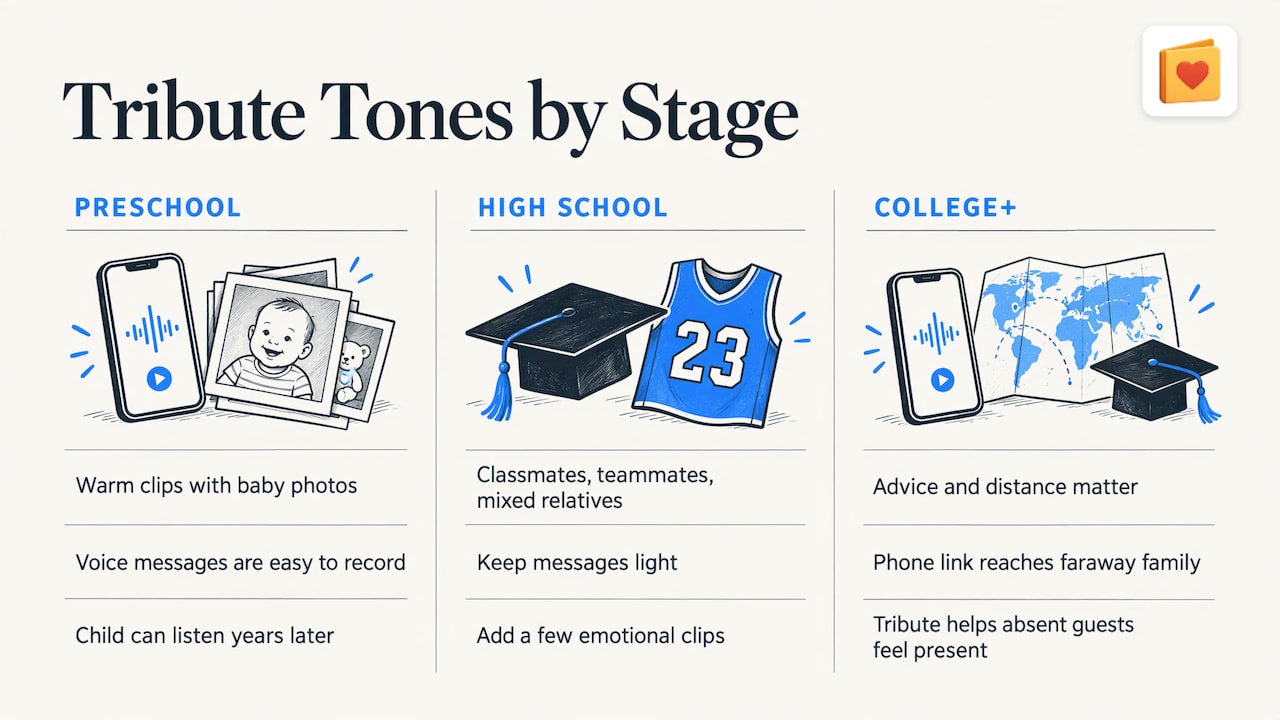
Preschool and kindergarten graduations are really a time capsule for the future: parents, grandparents, and teachers recording warm wishes alongside early photos. Browser voice messages shine here because a child can listen back to those voices ten or fifteen years down the road.
High school graduations thrive on energy and variety—teammates, childhood neighbors, teachers, and extended family mixing funny memories with heartfelt pride before a big move or new start.
College and graduate school milestones bridge long distances. Friends from internships, study-abroad semesters, and relatives across time zones rarely fit into one room, so a browser link lets everyone show up meaningfully from wherever they live.
When graduation also means relocating to a new city, dorm, or country, the finished book and song double as a going-away keepsake they can carry with them.
Practical Tips That Save the Project
- Face natural light. Ask contributors to stand facing a window or shady outdoor spot rather than putting a bright window behind them.
- Choose a quiet room. Clear audio matters far more than camera quality—turning off TVs and stepping out of wind makes every word easy to hear.
- Hold the phone steady at eye level. Propping the phone against a mug or stack of books keeps clips natural and relaxed.
- Preserve full-resolution originals. Avoid collecting clips via chat apps that compress video; use a direct upload link so you can download every original MP4, MOV, photo, and audio clip intact.
- Encourage a photo alongside every clip. Pairing a video or voice wish with an old snapshot makes both the digital pages and printed book shine.
Beyond the Video: Turning It Into a Keepsake
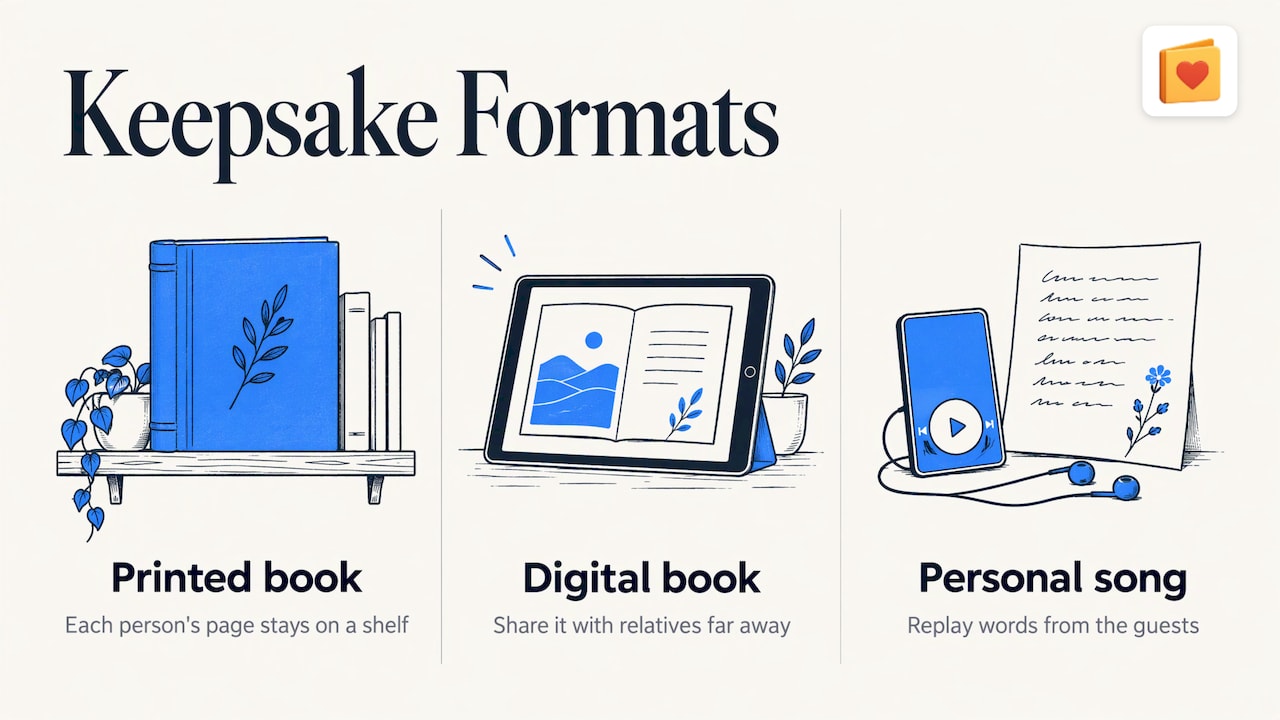
A video montage is unforgettable on graduation weekend, yet raw video files tucked on a laptop are easy to lose track of over time. Pairing those video and audio clips with a physical photo book—softcover included in the print package, or upgraded to a timeless hardcover—puts a tangible keepsake on the graduate’s bookshelf, while the interactive digital edition keeps every video and voice recording one tap away. Adding a personalized song gift written from guests’ real memories and paired with a photo music video gives them an emotional highlight they can replay anytime.
If you are organizing a video tribute for another family celebration soon, our guide to birthday video messages and scripts walks through ideas tailored to milestone birthdays.
Pomento for Graduation Video Messages
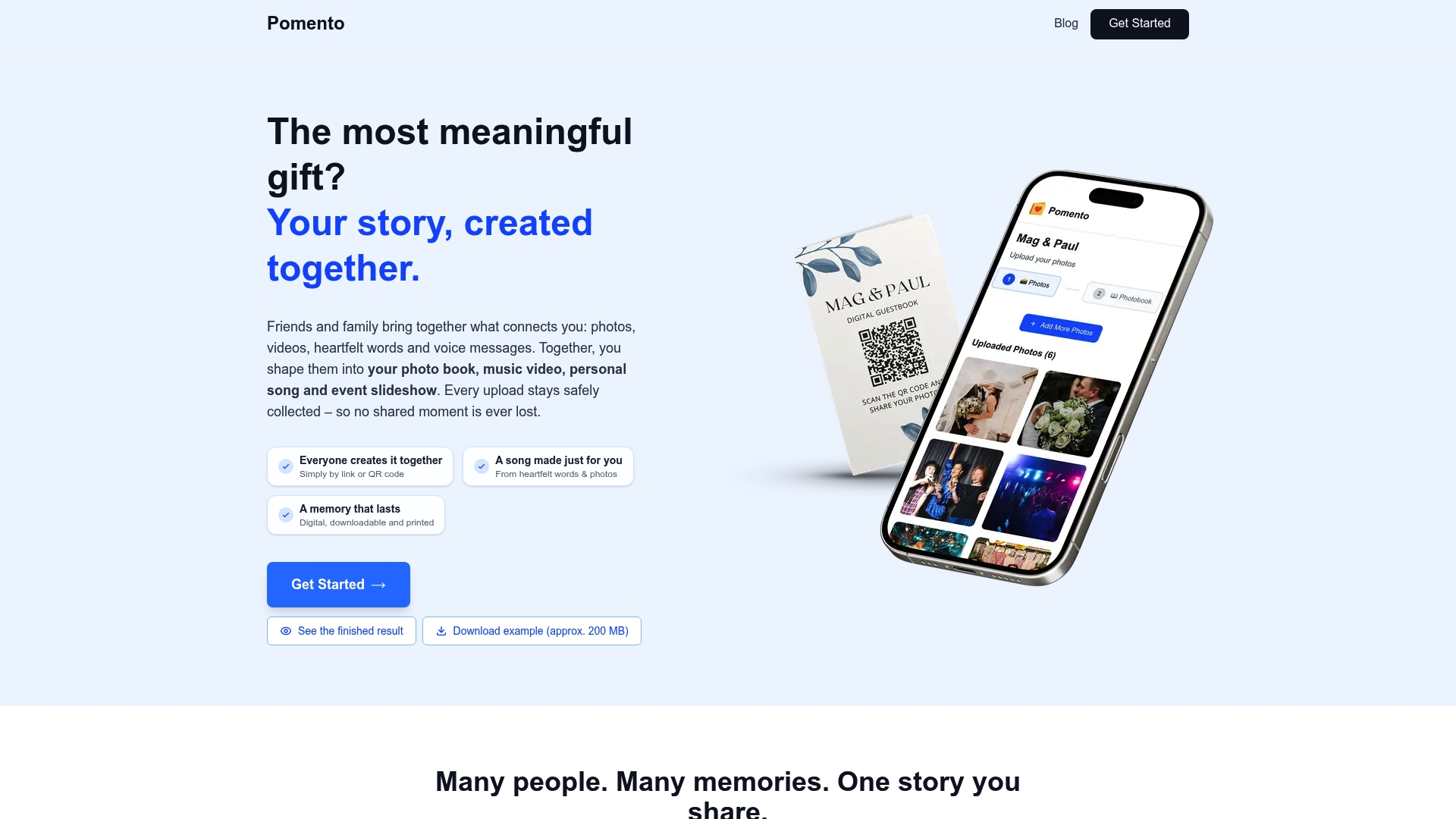
We built Pomento so you never have to chase files across chat threads or spend nights editing video clips. Guests scan one QR code or tap one link—completely free for contributors, with no app download and no sign-up—to add videos, photos, written notes, and voice messages, designing their own page or contributing to one shared book.
You can start your project and preview the interactive digital photo book for free before deciding on a package. When you are ready to unlock full downloads or order printing, both the Digital Experience and Digital + Printed Book packages (which includes a 40-page softcover book expandable up to 500 pages, an optional hardcover upgrade, and free worldwide standard shipping) are a simple one-time payment with no subscription and a 14-day money-back guarantee.
Explore how everything comes together on our graduation and occasions page, or start collecting memories free on Pomento whenever you are ready.
Frequently Asked Questions
How long should a graduation video message be?
Twenty to sixty seconds per person is ideal. That gives each contributor plenty of room for one specific memory and one heartfelt wish for the future, while keeping clips easy to film in a single take. Giving each guest their own digital page also means you never have to trim anyone’s message down.
What should I say in a graduation video message?
Start with your name, share one concrete memory or quality you genuinely admire in the graduate, and finish with a warm wish for their next chapter. Specific stories—like recalling a late-night project or childhood milestone—always resonate deeper than generic praise.
How do I collect graduation videos from guests who aren’t tech-savvy?
Share one direct browser link or QR code alongside a short prompt. With Pomento, guests never need to download an app, create an account, or remember a password—they simply tap the link on any phone, tablet, or computer to upload a video, record a voice note, or add photos and written wishes.
Can I preview our graduation book for free before paying?
Yes. You can create your project, invite guests to contribute, and preview the interactive digital photo book for free before unlocking downloads or ordering a print. Paid packages are a one-time payment with no subscription, backed by a 14-day money-back guarantee.
Can we download all original videos and also print a physical graduation book?
Yes. You receive full-resolution downloads of every original photo, video, voice message, custom MP3 song, and MP4 music video, plus an offline archive of the digital book. Choosing the print package also includes a bound softcover photo book with free worldwide standard shipping and an optional hardcover upgrade.