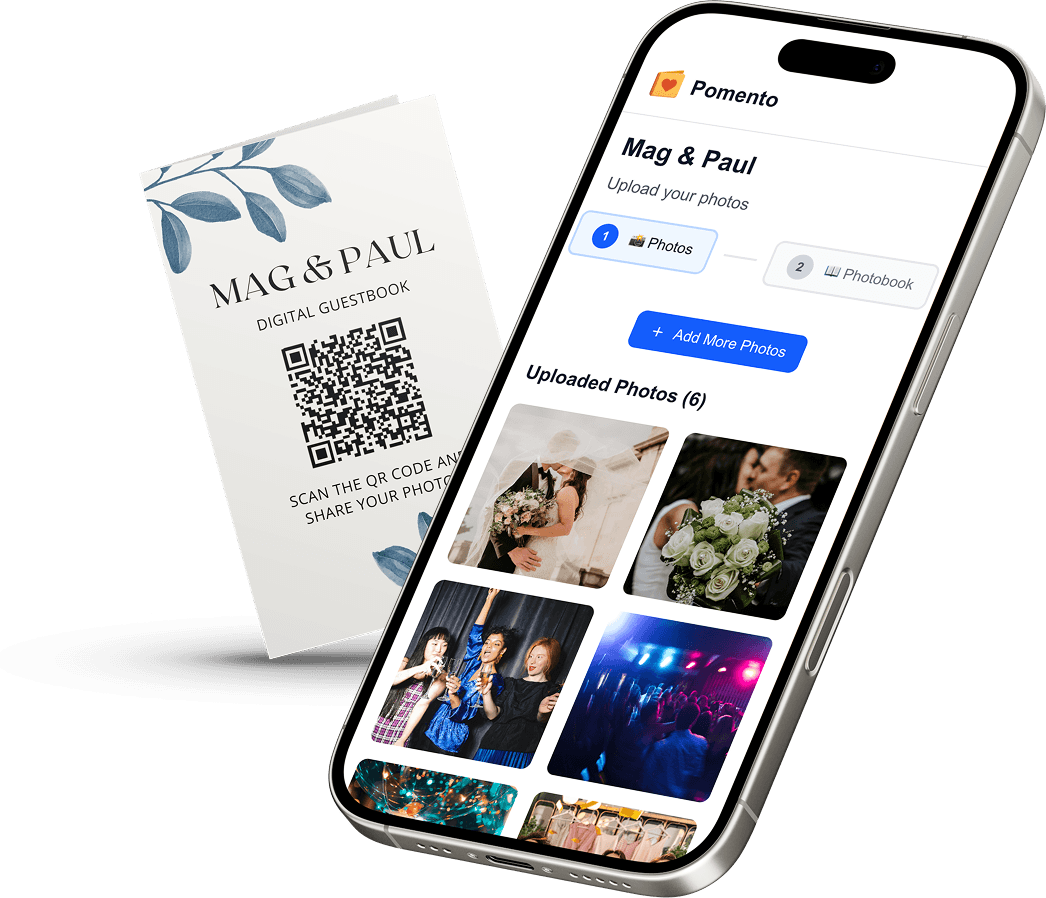
A digital funeral guest book is an online space where family and friends leave condolences, memories, photos and sometimes voice messages, from their own phone or computer. The best ones go further than a list of names: everything people share ends up in one place and becomes a keepsake the family can read, hear and hold. Pomento is an all-in-one collaborative memory platform and digital guestbook for weddings, birthdays, baptisms, memorials, farewells and company events. For a funeral, guests need only one QR code or link, no app installation and no sign-up, and what they contribute becomes a printed and digital photo book, a personalized song with a music video and an event slideshow, not just a file download.
This guide is for the person who has been asked to organize it: a sibling, a close friend, a funeral planner or a colleague. It explains what to collect, how to set it up, how to word the invitation and how to keep the result for years.
Key Takeaways
- A digital guest book works best when guests can reach it with one QR code or link, with no app to install and no account to create.
- Let people share more than a signature: photos, videos, written messages and voice messages are what families tend to return to.
- Decide who can see the book and who can add to it before you share the link, and tell guests what the family intends to do with the contributions.
- Plan for the afterwards: a guest book that becomes a printed hardcover book and a digital copy lasts longer than a page that sits online.
- Pomento’s Digital Experience is $48 one-time and Digital + Printed Book is $87 one-time, with a 14-day money-back guarantee and no subscription.
Table of Contents
- Key Takeaways
- What a digital funeral guest book is, and how it differs from paper
- What guests can add besides written condolences
- Step by step: setting up a digital funeral guest book
- What to write in a funeral guest book
- Making it easy for distant guests and less technical relatives
- Privacy and sensitive messages
- Why a keepsake beats a page that sits online
- Your Pomento memorial book
- Beyond funerals: other occasions
- A short checklist for the organizer
- FAQ
- Sources
- Recommended
What a digital funeral guest book is, and how it differs from paper
A traditional funeral guest book is a bound book on a table near the entrance. Guests sign their name, maybe add a line, and the family takes it home. It is simple and familiar, and it only records who was in the room, and only for the people who could be there.
A digital guest book moves that table online. The differences that matter to a grieving family are practical:
- Reach. Relatives abroad, colleagues who could not travel and friends who are unwell can all take part. They do not need to be at the service, or to write on the day.
- Length and format. Paper has room for a line. Online, a guest can write a full page, attach a photo from a holiday twenty years ago or record a few spoken words in their own voice.
- Time. Guests can contribute in the days before the service, at the service and in the weeks after, when the first shock has passed and the stories come more easily.
- Keeping. Photos and messages arrive already collected, rather than scattered across text threads, email and social media posts.
None of this replaces the human moment of greeting people at the door. It adds a place for the things people do not say in a receiving line.
What guests can add besides written condolences
The most useful change from paper is the range of things a guest can leave. With Pomento, guests can upload photos, videos, written messages and voice messages from any phone or computer. That matters at a funeral because people grieve differently. One person writes three paragraphs. Another has a single photo of the two of them on a fishing trip. A grandchild would rather say a few words out loud than type them.

A voice message deserves special mention. A recording of a laugh, a familiar turn of phrase or a short blessing is something families often say they wish they had more of. Giving guests that option costs them nothing and can give the family something a written line cannot.
In Pomento, each guest also creates their own photo book page with their photos, words and voice message, using ready-made templates. Nobody needs design skills, and the organizer does not lay out a single page.
Step by step: setting up a digital funeral guest book
1. Choose one person to run it
Grief makes group projects messy. Name one organizer, often someone close to the family but not at the center of the arrangements: a cousin, a family friend, a colleague. That person owns the link, answers guests’ questions and checks with the immediate family before anything is shared widely.
2. Set the purpose in a sentence
Decide what the book is for and say it plainly to guests. For example: “We are collecting stories, photos and voice messages for Mom’s family, to be kept in a book.” A clear purpose gets better contributions than a generic request to “sign the guest book.”
3. Agree on privacy with the family
Privacy is the part families most often skip, then regret. Ask the closest relatives who should be able to see what is shared, and whether they want to read messages before others do. Organizations that run tribute pages for bereaved families take the same view: one UK charity’s guidance says friends and family can add memories and messages as long as the family is happy, and that the family controls access and posting settings, including whether content is reviewed before it is displayed. Make those choices deliberately, and share the link only with people the family has in mind.
4. Collect with one link or QR code
The fewer steps between a guest and the guest book, the more people take part. With Pomento the host shares a single link or QR code. Guests need no app installation and no sign-up. That removes the barrier that stops older relatives and the less technical friends, who may be exactly the people with the best stories.
Put the link in several places:
- the funeral or memorial invitation, or the message that goes with it;
- a family email or group chat;
- a small printed card with the QR code on the order of service, on a table at the venue or on the memorial programs;
- the obituary, if the family wants it widely shared.
5. Give guests a prompt
A blank box is intimidating. Offer two or three starter questions in your invitation:
- What is one moment with them you want the family to remember?
- What did they teach you, without meaning to?
- What would you say to them now?
Prompts also keep messages warm and specific, which families value far more than polished wording.
6. Show it at the service, if the family wants
A live display lets the room see what has been shared. Pomento includes an event slideshow for screens and projectors at the celebration, which can play photos from the collection during a reception or celebration of life. Ask the family first. Some prefer to keep contributions private until later.
7. Turn it into something to keep
Once contributions are in, Pomento brings all the pages together. You receive an interactive digital book to share online, a high-quality printed hardcover book shipped to your door, a personalized song with its own music video created from your photos and the occasion, and downloads of all original photos, videos and voice messages. The finished book is a gift the family can see, hear and hold, long after the flowers are gone.
What to write in a funeral guest book
Most guests worry about the same thing: not knowing what to say. You can help them by sharing a short guide with the link. There are no rules, but a simple pattern works well, and it is the same one in a paper book and in an online one:
- Offer your condolences, in your own words.
- Share one brief memory or a quality you admired.
- Express your support for the family.
- Sign your name, so the family knows who you are, and how you knew the person.
Sincerity beats length. “Thinking of you all” is understood and appreciated. An online format lets those who want to write more do so, and lets others simply share a photograph with a caption.
Some starting lines guests can adapt:
- “I will always remember the way you laughed at your own jokes.”
- “Thank you for teaching me how to cook. Every Sunday, I think of you.”
- “Your family is in my thoughts. I am so grateful I knew him.”
A caution for the organizer: remind guests that the family will read every word. Humor and shared jokes are welcome when they sound like the person, but old conflicts and private details belong elsewhere.
Making it easy for distant guests and less technical relatives
A funeral gathers people across generations and continents. Plan for the least technical person on the list.
- Send the link in the channel they already use. A text for the grandchildren, an email for older colleagues, a printed QR card for those who will be in the room.
- Skip accounts. Every login screen loses people. A link that opens straight to the contribution page respects people who are grieving and tired.
- Welcome help. Invite relatives to ask the organizer for help, or to record a voice message instead of typing. Voice is often easier for older guests and for children.
- Mind time zones. Tell distant guests how long the collection stays open, so they do not feel they missed their chance. Describe the window in the invitation, such as “until two weeks after the service.”
This matters most for those who cannot travel: a friend overseas, a former coworker, a relative with limited mobility. A guest book that works from any phone or computer lets them be present in a real way.
Privacy and sensitive messages
Families sometimes worry that an open online space invites careless or hurtful comments. A few habits help.
- Share the link selectively. Send it to people the family knows, rather than posting it publicly.
- State the tone you want. One sentence in the invitation, such as “Please share memories and kind words for the family,” sets expectations.
- Get the family’s agreement on photos. Some relatives may not want certain images shown at the service or printed in a book. Settle this with the closest relatives before you display anything.
- Decide what happens to the material. Tell guests whether the contributions will be printed in a book for the family, shown at the service, or both.
If you are organizing on behalf of the family, remember that you are acting for them. When in doubt, ask the person closest to the one who has died.
Why a keepsake beats a page that sits online
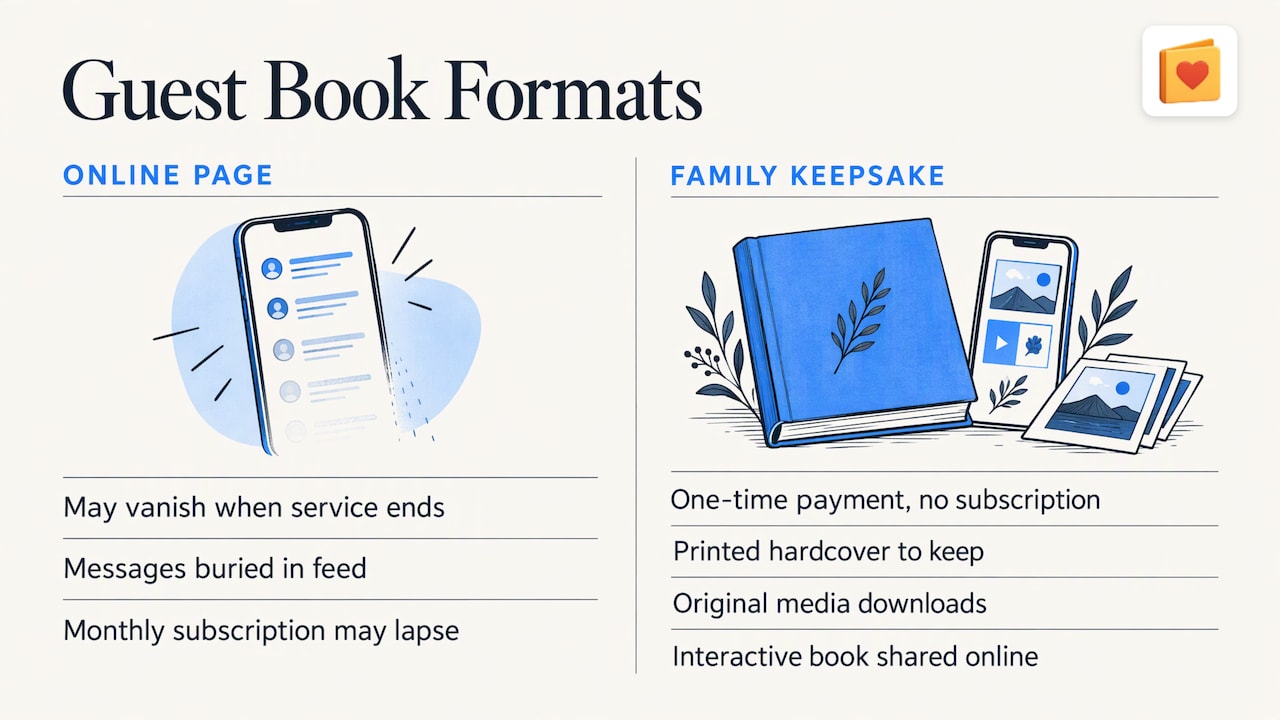
A guest book page left on the internet can disappear when a service ends or a subscription lapses, and messages stay buried in a feed. Families usually want something they can pull from a shelf on a hard anniversary.
Pomento’s model is built around that. Pricing is a one-time payment with no subscription, so there is no monthly charge to keep the book alive. You receive the interactive digital book to share online, the printed hardcover, and downloads of the original photos, videos and voice messages, so the material stays with your family in the form that suits it.
The personalized song and music video are for families who want a different way to remember. The song is made for the occasion from the words guests share, and the video is created from the photos. Some families play it at a celebration of life. Others keep it to watch privately in the weeks after.
For more formats and wording ideas, see Pomento’s guide to funeral guest book alternatives and its article on celebration of life guest books.
Your Pomento memorial book
For funerals and celebrations of life, Pomento’s memorial page shows how it works. Guests contribute through one QR code or link, with no app installation and no sign-up. The host receives a printed and digital photo book, a personalized song with a music video and an event slideshow, plus downloads of everything shared.
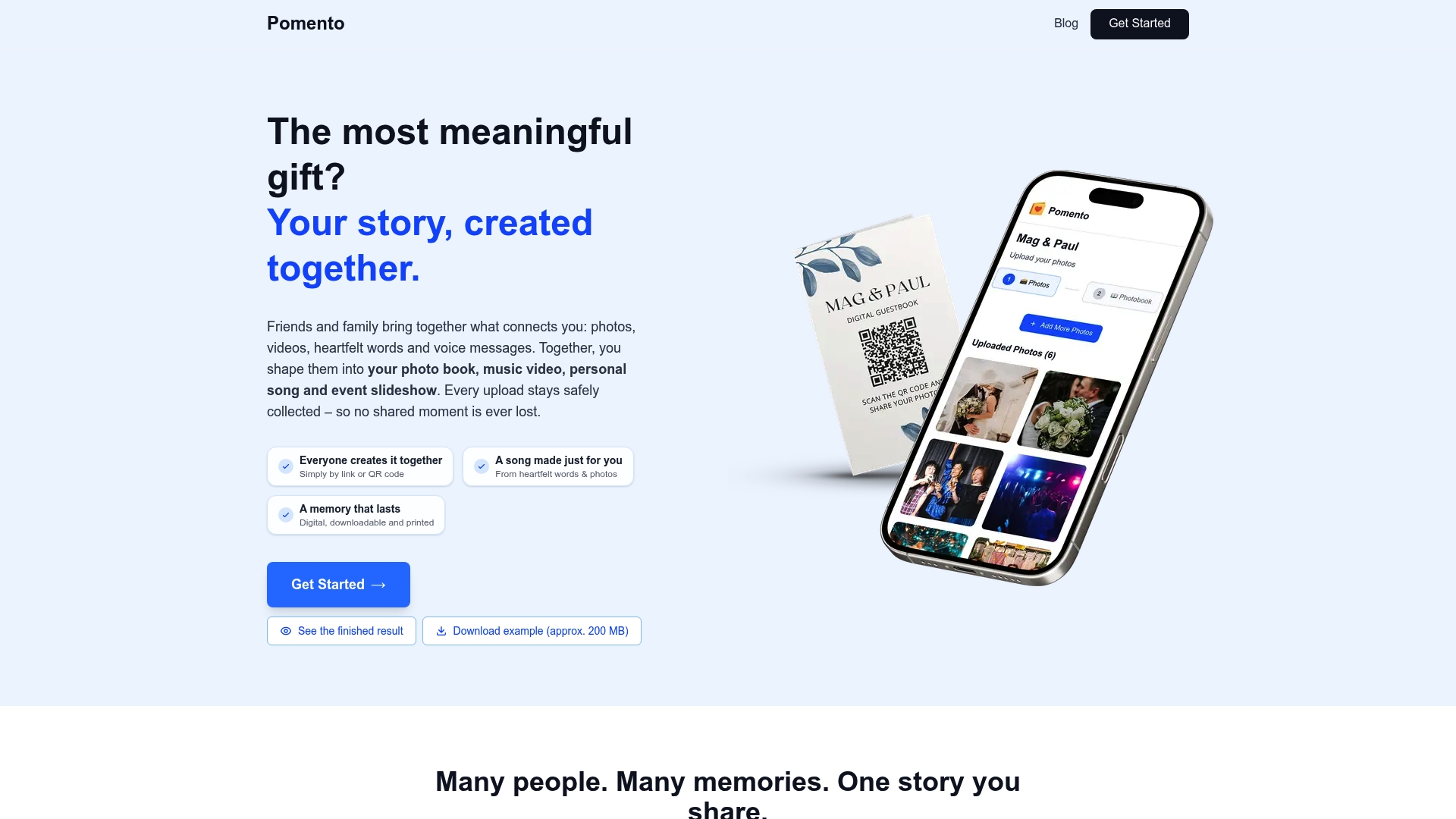
There are two options, both one-time payments with no subscription and a 14-day money-back guarantee: the Digital Experience at $48, and Digital + Printed Book at $87. You can preview a real Example Photo Book on Pomento before you decide, then start your own project when the family is ready.
Beyond funerals: other occasions
Many families who set up a memorial book also gather memories for other milestones. The same approach works for weddings, birthdays and baptisms, and for farewells and company events. You can browse them all on the occasions page. Pomento can also work as a shared surprise gift before an event and a live guestbook during the celebration, which suits retirements, farewells and anniversaries as much as a memorial.
A short checklist for the organizer
- One organizer chosen and the family’s wishes confirmed.
- A one-sentence purpose written for guests.
- Privacy agreed with the closest relatives.
- One link or QR code, tested on a phone.
- Starter prompts and a short “what to write” note in the invitation.
- A closing window communicated to guests.
- A decision on showing the slideshow at the service.
- A plan for the printed book and where the digital copy will be shared.
FAQ
Do guests need an app or an account to sign a digital funeral guest book?
Not with Pomento. Guests open a single link or scan one QR code and contribute from any phone or computer. There is no app installation and no sign-up, which makes it easier for older relatives and distant friends.
What can guests share besides a written message?
Guests can upload photos, videos, written messages and voice messages. Each guest then creates their own photo book page with their photos, words and voice message, using ready-made templates in just a few taps.
Can the guest book become a printed keepsake?
Yes. Pomento brings all the pages together into an interactive digital book and a high-quality printed hardcover book shipped to your door. Digital + Printed Book is $87 one-time. You also get downloads of all the original photos, videos and voice messages.
What should I write if I do not know what to say?
Keep it short and sincere. Offer your condolences, share one small memory or quality you admired, and sign your name. A line such as “Thinking of you all” is enough, and the family will value it.
How much does it cost?
Pomento is a one-time payment with no subscription. The Digital Experience is $48 and Digital + Printed Book is $87. Every purchase comes with a 14-day money-back guarantee.