A retirement memory book is a keepsake made of photos, stories and personal messages from the people who shared someone’s working years. The easiest way to make one is to give everyone a single link or QR code, let them add their contributions from their own phones, and turn the pile into one finished book. Below you’ll find what to put in it, what to write, how to collect it all without chasing people, and how to present it.
Pomento is an all-in-one collaborative memory platform and digital guestbook for weddings, birthdays, baptisms, memorials, farewells, and company events. Its idea is simple: collect everyone’s memories in one place instead of scattered across phones and group chats, then turn them into a gift you can see, hear and hold.
Key Takeaways
- A retirement memory book collects stories, photos and messages from many people, while a classic guest book mostly gathers signatures and short notes at the party. The best gift does both.
- Organize the book around a story (career chapters, then-and-now, favorite moments) instead of a plain timeline of photos.
- Collection is the hard part. One shared link or QR code, with no app and no sign-up for guests, gets far more people to contribute.
- Start three to four weeks before the party, and set a firm deadline a week before it so there is time to assemble and print.
- A digital version can be shared with colleagues who live far away, and a printed hardcover is what the retiree will keep on a shelf.
Table of Contents
- What a retirement memory book is, and how it differs from a guest book
- What to include in a retirement memory book
- Organizing the book as a story
- How to collect messages, photos and stories without chasing people
- What to write in a retirement memory book
- Ideas that make the keepsake feel personal
- Digital, printed or both
- Presenting the book on the day
- Making it with Pomento
- Common mistakes to avoid
- FAQ
- Sources
What a retirement memory book is, and how it differs from a guest book
The two terms overlap, and people search for both, so it helps to separate them.
A retirement guest book is something guests sign at the party. It is usually a single object at the entrance: a bound book, a wooden frame, or a digital page. Entries are short: a name, a line of congratulations, maybe a bit of advice. Its limits are practical. Only people who attend can sign, and the entries are written in a few seconds.
A retirement memory book is built over days or weeks, before the party. People write longer notes, send photos from old projects, record a voice message, and tell the story that only they know. Colleagues who cannot attend, including former teammates in other cities, can still take part. The result reads more like a tribute than a signature page.
You do not have to choose. A good approach is to run a shared link ahead of the party for the memory book, then show the same QR code on a sign at the event so people who attend can add a last-minute note. That way the book works as a shared surprise gift before the event and as a live guestbook during the celebration. Whatever arrives after the deadline can still end up on the slideshow screen.

What to include in a retirement memory book
The strongest books mix four kinds of content. If you only collect one kind, the book feels thin.
- Personal messages. Short notes of thanks, longer letters, and the line everyone remembers the retiree saying.
- Photos. Team photos, office events, conference trips, first-day pictures, and candid shots that show who the person really was at work.
- Stories. A specific moment: the product launch that went sideways, the night the whole team stayed late, the time the retiree covered for someone without telling anyone.
- Voice and video. A recorded sentence from a former boss or a grandchild’s “happy retirement” carries more feeling than the same words printed.
A few extras make the book feel designed for one person rather than for “a retiree”:
- A short career timeline with the key years and roles.
- A “then and now” spread: an early photo next to a recent one.
- Advice for the next chapter, written by colleagues who are already retired.
- A bucket-list page, where people suggest places to visit or hobbies to try.
- Messages from family and friends outside work, so the book honors the whole person and not only the job title.
For a teacher, nurse, firefighter or manager, ask contributors to include the kinds of moments typical of that profession: a student who came back years later, a night shift that went well, a decision that changed the team. Specific details are what make people tear up.
Organizing the book as a story
Photos in date order make an album. A memory book needs a shape. One practical way to build it is by career chapters, an approach also described in a guide to retirement photo gifts, which suggests chapters such as the years before the career, the early career, major projects, personal life during the working years, and the recent years.
Here is a simple outline you can adapt:
| Section | What goes in it | Who contributes |
|---|---|---|
| Opening page | Name, years of service, one-line tribute | Organizer |
| The beginning | First-day photos, how they were hired, early stories | Longtime colleagues |
| The big projects | Milestones, launches, awards, hard weeks | Project teammates |
| Daily life at work | Lunch rituals, inside jokes, office traditions | Current team |
| People they helped | Thank-you notes, mentoring stories | Mentees, clients |
| Outside of work | Family photos, hobbies, trips | Family and close friends |
| What’s next | Advice, wishes, bucket-list ideas | Everyone |
You do not need every section. A team of eight can fill three chapters well. A department of eighty can fill all seven and still have material left over.
Page design that keeps it readable
A few design rules work almost every time:
- Give photos room. White space makes a page look finished, while crowded pages look like a collage.
- Use large, high-contrast type. The reader may be reading at arm’s length, and a print book is often looked at with family.
- Keep one message per page, or two short ones. Long letters deserve their own page.
- Put the funniest and the most heartfelt pages next to each other. The rhythm keeps people turning pages.
How to collect messages, photos and stories without chasing people
Most memory books fail at collection, not at design. The organizer sends an email, a few people reply, the rest forget, and a week before the party there are six photos and no time. These steps prevent that.
- Decide who the book is for and who is organizing it. Choose one organizer (and one backup) so requests do not come from five directions.
- Make a contributor list. Include current team, former colleagues, clients or partners, leadership, and the retiree’s family. Ask the family for photos and the names of old friends from work.
- Choose a collection method that needs no effort from guests. Asking people to download an app or create an account loses a share of them. A single link or QR code that opens in a phone browser is much easier, and it works for the colleague who is not comfortable with technology.
- Send one clear request. Say what you need, by when, and how long it takes. For example: “Add one photo and a few lines about your favorite memory with Dana. It takes about three minutes. Please send it by Friday.”
- Give prompts. A blank box is intimidating. Offer three questions: What is your first memory of working with them? What did you learn from them? What do you hope they do next?
- Remind twice. One reminder at the halfway point, one two days before the deadline. Send the reminder to the group chat people actually read.
- Keep it a secret. If the retiree is not meant to know, send the request privately and ask contributors not to mention it in shared channels.
Timeline for a four-week project
| When | What to do |
|---|---|
| Four weeks before the party | Pick the organizer, build the contributor list, set up the project and send the first invitation |
| Three weeks before | First reminder, and personal nudges to key people (a former manager, the closest teammates) |
| Two weeks before | Second reminder, check the gaps: is every era of the career represented? |
| One week before | Collection deadline, review the pages, order the printed book if you want it in hand on the day |
| Party day | Show the QR code for last-minute notes, present the book, run the slideshow |
If you are short on time, a digital book can be shared right away, and you can present the print version later as a second surprise.
What to write in a retirement memory book
Contributors often stall at the first sentence. Share these starters with them.
For close colleagues
- “I still remember the day you taught me how to…”
- “You made the hardest weeks bearable because…”
- “The thing I’ll miss most is…”
For managers and leaders
- “Under your leadership, our team learned…”
- “Thank you for trusting me with…”
For the family
- “We always knew you’d had a hard day when…”
- “Now it’s time for you to finally…”
A short message that works
“Thank you for twenty years of showing up early, staying kind and always having time for questions. I became a better teacher because you were down the hall. Enjoy every slow morning.”
Three things make a message good: a specific detail, a thank-you, and a wish for what comes next. Humor is welcome as long as the retiree would laugh at it.
Ideas that make the keepsake feel personal
- A “day in the life” page with photos of the desk, the mug, the parking spot, and the tools of the trade.
- A map spread with pins for the offices, job sites or conferences where they worked.
- A quote page of phrases people associate with them, credited by name.
- A “first and last” spread with the first day on the job and the last day.
- A voice message page where contributors speak a sentence. In a digital book, these play back; in a printed book, they can be a QR code next to the photo.
- A hobby preview with photos of the activity they’re retiring into, such as fishing gear, a garden, or a travel guide, plus tips from friends who’ve done it.
- A grandchildren page if family is part of the story.
If the person’s retirement coincides with other milestones, look at related ideas for a birthday photo book, which covers layouts and group collaboration, or a graduation photo book for tips on gathering advice messages.
Digital, printed or both
The format question comes down to who will see the book and where.
| Digital book | Printed hardcover | |
|---|---|---|
| Best for | Remote colleagues, quick sharing, voice messages | A keepsake on a shelf, passing to family |
| Interaction | Playable voice messages and videos | Photos and text only |
| Speed | Available as soon as you finish | Needs production and shipping time |
| Sharing | One link to many people | One physical copy |
Most organizers choose both. The digital version lets the whole company see the tribute, and the printed book is what the retiree opens at the kitchen table in five years.
Presenting the book on the day
A book handed over in a hallway feels small. A few small choices make the moment bigger.
- Pick the right moment. Toward the end of the party, after the speeches, when people are relaxed.
- Read one or two messages aloud. Pick one funny, one touching. Do not read all of them; the retiree should discover the rest alone.
- Show a slideshow in the background. A live event slideshow on a screen or projector, fed by the photos and messages collected, gives the room something to watch during mingling.
- Give them time. Many retirees prefer to read the book at home. Say so, and hand over the digital link as well so family can read along.
- Offer copies. If the team wants their own copy, the digital link costs nothing extra to share.
If the retiree is leaving a company where people will gather for other occasions, a general page about occasions Pomento supports shows how the same approach works for farewells, anniversaries and company events.
Making it with Pomento

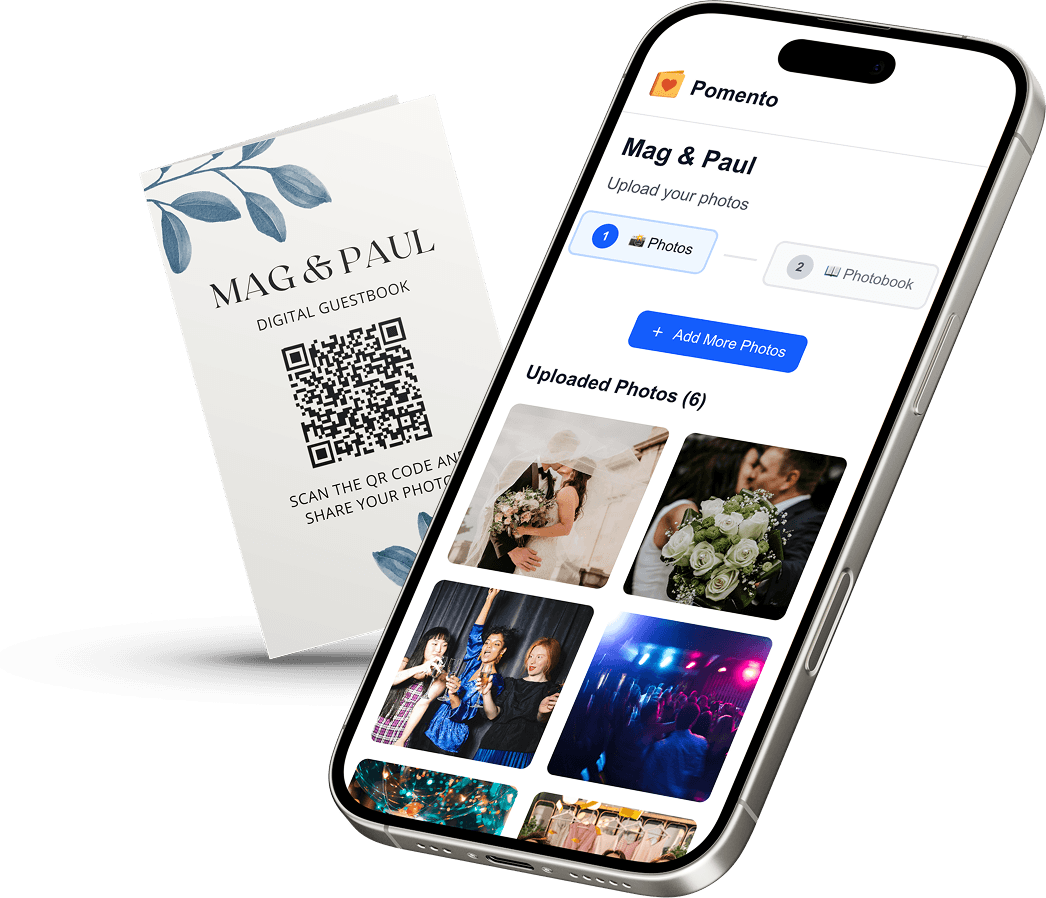
We built Pomento for exactly this kind of group gift. You share one QR code or link, and guests contribute photos, videos, written messages and voice messages from any phone or computer. There is no app to install and no sign-up for guests, which matters for a retirement, where contributors can be anyone from a new hire to a retired former boss.
Each guest then creates their own photo book page with their photos, words and voice message, using ready-made templates, in just a few taps. You do not lay out a single page yourself.

Pomento brings all the pages together into a Printed & Digital Photo Book, a Personalized Song built from your guests’ words, a Music Video made from the photos, and an Event Slideshow for the party, not just a file download. You can also download all the original photos, videos and voice messages.
There are two options, both one-time payments with no subscription: the Digital Experience at $48, and the Digital + Printed Book at $87. Every purchase comes with a 14-day money-back guarantee. Preview an example photo book to see how the finished pages look, then start your own retirement project when you are ready to send the link.
Common mistakes to avoid
- Starting too late. Collection takes longer than design. Give people at least two weeks.
- Inviting only the current team. Former colleagues and old clients often write the most memorable notes.
- Leaving out the family. The retiree’s spouse, children and grandchildren can supply the photos that make the book personal.
- Asking for polished writing. Tell people a few honest lines are plenty.
- Forgetting the cover. A clear title with the person’s name and years of service sets the tone before anyone opens the book.
- Skipping a deadline. An open-ended request invites people to postpone indefinitely.
FAQ
What is the difference between a retirement memory book and a retirement guest book?
A guest book collects short signatures and wishes, usually at the party. A memory book collects longer messages, photos, stories and sometimes voice recordings before the party, including from people who cannot attend. Many organizers combine both with one shared link.
What should I write in a retirement memory book?
Start with a specific memory, say thank you, and end with a wish for what comes next. Two to five sentences are plenty. A named detail, such as a project, a joke or a habit, makes the message feel personal.
How long does it take to make a retirement memory book?
Plan for about three to four weeks: roughly two for collecting contributions, one for reviewing, and extra days for printing and shipping if you want a hardcover. A digital book can be shared as soon as the pages are collected.
Do guests need an app or account to contribute to a Pomento book?
No. Guests open a single link or scan one QR code and add their photos, videos, messages or voice messages from any phone or computer. There is no app installation and no sign-up.
Can I make a retirement book for someone who is not retiring from a company?
Yes. The same approach works for teachers, volunteers, military service or self-employed people. Invite clients, families and friends, and adapt the chapters to the career.