The best alternatives to a traditional funeral guest book collect more than a signature. Memory cards in a box, a photo mat, signed stones and a QR-code memorial page all give guests room for a story, a photo or a few words. For most families, the strongest choice is a simple physical option at the service plus a digital space where people who can’t attend, or who think of something later, can still contribute.
This guide walks through the main options, how to match one to your service, what guests can write, and how to turn everything you collect into something the family can keep.
Key Takeaways
- A signature list records who came. Alternatives such as memory cards, photo mats and digital memorial pages also record what the person meant to people.
- Small cards with a prompt are easier for guests than a blank page, and they let several people write at once.
- A hybrid setup works well: something tactile at the service, plus a QR code or link for distant relatives and late memories.
- Choose by setting and guest list: an older congregation, a large celebration of life and a virtual service each call for a different format.
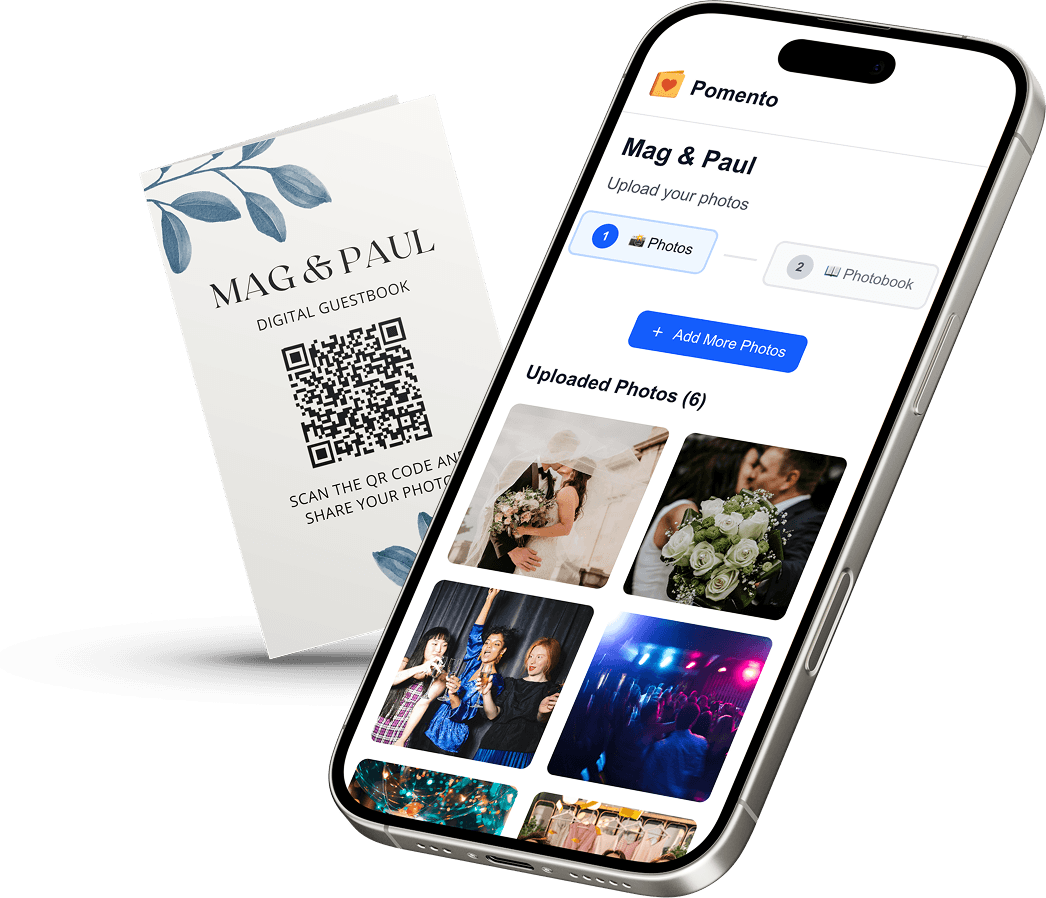
- Pomento is an all-in-one collaborative memory platform. Guests need only one QR code or link, no app and no sign-up, to share photos, videos, written and voice messages.
Table of Contents
- Why families look beyond the traditional guest book
- Physical alternatives that need no technology
- Photo-led keepsakes
- Digital alternatives for guests near and far
- Choosing the right format for your service
- Where to place the guest book and how to invite people to write
- What to write in a funeral guest book
- Turning everyone’s memories into something to keep
- Pomento for a funeral or celebration of life
- Combining formats: a simple plan
- FAQ
- Sources
Why families look beyond the traditional guest book
A bound book on a table by the door has worked for generations, but it has limits. People queue to sign it while others wait behind them. Many write only a name, because a blank line makes them worry about saying the wrong thing. And when someone can’t travel, there is no page for them at all.
There is also the matter of what the family ends up with. A list of names is meaningful, but families often tell us they most treasure the stories they never knew: how the person helped a coworker, the nickname a neighbor used, the photo that sat in someone else’s drawer for 30 years. The alternatives below are built to gather exactly that.
Virtual and hybrid services have made this more pressing. One market research report on guest books points to hybrid and virtual memorial formats and digital guest books as a growing way for remote attendees to send condolences and memories.
Physical alternatives that need no technology
These suit services where guests are mostly in person, or where you want something to hold at the end of the day.
Memory cards in a box or basket
Print or buy small cards, each with a prompt such as “A moment I’ll always remember” or “What I learned from her.” Set out pens and a box or basket. Because cards are individual, several guests can write at once, and nobody has to hold up the line. Cards also tend to be more doable for shy writers: a small card with a prompt feels easier than a blank page.
Afterward, the family can read the cards aloud, bind them into a book or keep them in the box.

Memory jar
The same idea with slips of paper in a glass jar. It looks warm on a table and works well at home gatherings. The drawback is that the slips are small, so ask guests to keep notes short and save longer stories for another format.
Signed stones
Guests write a name or a word on a smooth stone with a paint pen. The stones can be placed in a bowl, a garden or a memorial planter. This suits outdoor services and families who want something that lasts outside, though there is little space for a full story.

Thumbprint tree or wishing tree
A canvas with a bare tree outline lets guests add a fingerprint leaf and sign beneath it. A wishing tree uses paper tags hung on branches. Both are easy for children and for guests who find writing hard. Both give you one framed piece to display at home.
Children’s table
A small table with paper and crayons gives younger guests something to do and often produces the drawings families keep forever. Ask a relative to gather the pictures at the end.
Photo-led keepsakes
Photos open up memories faster than a blank page does. These options put a picture at the center.
Photo mat or photo guest book
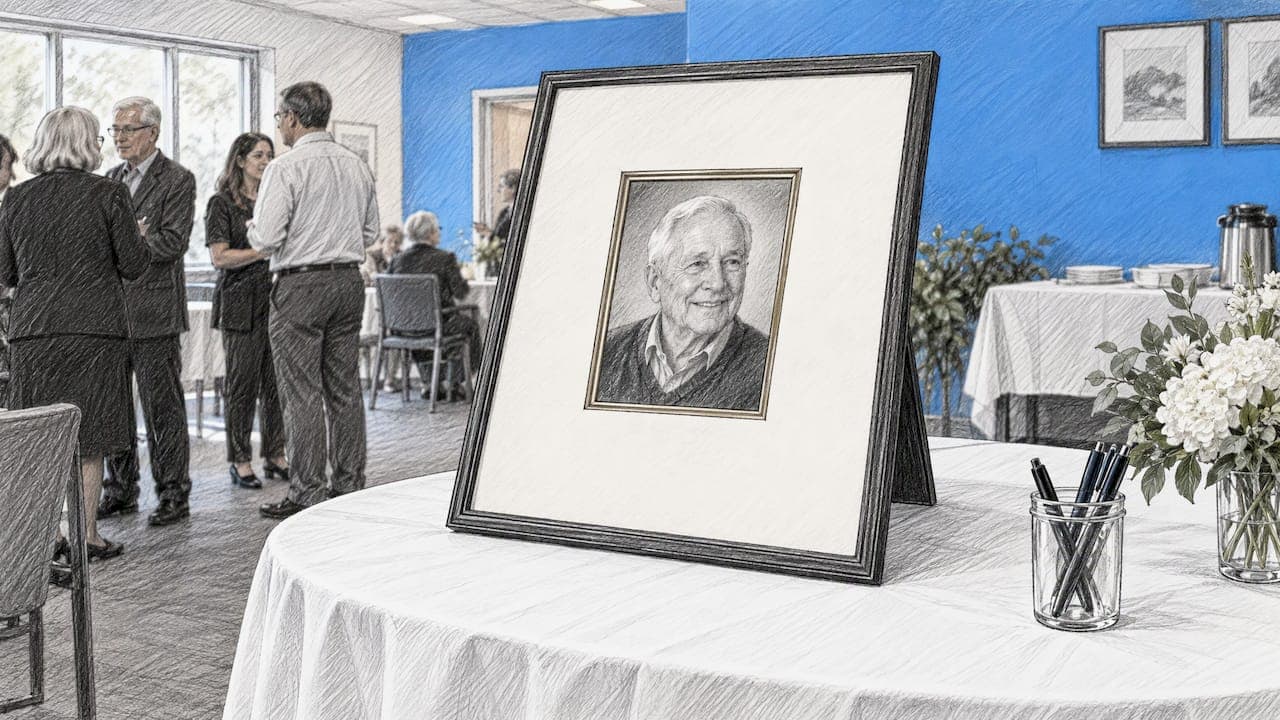
Guests sign around a framed photo of the person, or write beside pictures in an album. Layouts can follow the person’s life chronologically as a timeline, or fill a page as a collage with space left around each image for notes.
Polaroid or instant photo sign-in
Guests take a picture at the service and attach it next to their message. It captures who was in the room, which families often value years later. Make sure this fits the tone of the gathering, as it suits a celebration of life more than a formal service.
Bring-a-photo requests
Ask guests to bring one favorite photo and a short handwritten note. No single family holds every photograph, so this often reveals moments you never knew existed. A display board or a memory table collects them at the service.
Digital alternatives for guests near and far
Digital options solve the problem a physical book can’t: reaching people who can’t be in the room, and letting guests contribute at their own pace.
Online memorial page
A single page where people post condolences, photos and stories. It is easy to share by email or text. The key is to keep it simple, because older relatives will give up if a site asks them to create an account.
QR code to a message form
Place a small sign near the memory table with a QR code and one clear sentence explaining it. Guidance on QR codes for memorial services suggests keeping the code dignified and understated, framing it as a service, and using a gentle label such as “Share a memory.” The code can also go on the program, on memorial cards or on thank-you notes sent afterward.
Our guide to QR code photo sharing covers how to collect every guest’s photos this way.
Audio and video messages
Some people can’t find the words in writing but can say them aloud. A recorded voice message captures tone, humor and accent in a way text can’t, and years later a family will be glad to hear it. We explain how this works in our audio guest book guide.
Choosing the right format for your service
Start with the room, then the people, then what the family wants to keep.
| Situation | Good fit | Why |
|---|---|---|
| Small, in-person service with older guests | Memory cards, photo album sign-in | Familiar, no technology, easy for everyone |
| Large celebration of life | Memory cards plus a QR-code memorial page | Avoids queues and captures longer stories |
| Family spread across countries | QR code or link, with voice and video messages | Distant guests can take part from any phone or computer |
| Virtual or hybrid service | Digital guest book | Remote attendees can upload media directly |
| Outdoor gathering | Signed stones, wishing tree | Sturdy and in keeping with the setting |
| Children attending | Children’s table, thumbprint tree | Gives young guests a simple way to take part |
The QuickFuneral guide groups ideas into four types: simple and familiar, keepsakes that reflect the person’s life, interactive participation, and digital. Most families do well combining one from two groups.
One thought on very elderly guest lists
When the person who died was in their 90s, many of their friends may have passed on already. In that case, think about who is actually there: grandchildren, neighbors, caregivers, younger colleagues. A children’s table, a story prompt for grandchildren, or a request for photos and notes from relatives far away will often say more than a signature book.
Where to place the guest book and how to invite people to write
A few small choices shape how many guests contribute.
- Give it a host. Ask a relative or friend to stand near the table, welcome people and point out the prompts.
- Put it where people linger. Next to the photo display or refreshments works better than the doorway, where it creates a bottleneck.
- Offer a prompt. One line on a tent card, such as “Share a memory or a favorite story,” lowers the barrier.
- Add a QR sign with one sentence. Say what it is and what it does, so guests aren’t left wondering.
- Mention it from the front. The officiant or a family member can remind guests at the end that they can leave a memory on the way out or later online.
For more ideas on formats and wording, see our guide to a celebration of life guest book.
What to write in a funeral guest book
Many guests hesitate here. The good news is that short and personal is hard to get wrong. A condolence-book guide from a UK funeral director notes that the message is mainly for the family, so write what they would want to read, and use the person’s name to make it personal.
A simple structure
- Address the family or the person by name.
- Share one specific memory, trait or moment.
- Say what they meant to you.
- Close with a warm wish for the family.
Message examples
Use these as starting points and change them to fit your relationship.
- “Margaret, you made every Sunday dinner feel like a holiday. Thank you for teaching me your pie crust. I will think of you every autumn.”
- “To Dan’s family: he was the first person to welcome me to the team, and he never stopped making us laugh. He will be deeply missed.”
- “I’ll always remember our long walks that ended with hot chocolate after getting caught in the rain. Thank you for 20 years of friendship.”
- “Grandpa, you taught me to fish, to be patient and to tell a good story. I’ll keep telling yours.”
- “Thinking of you all from far away. Her kindness reached further than she ever knew.”
A tribute can be a single sentence or a longer story. If you’re not sure, a short memorial note is usually around 150 words or fewer, according to a bereavement support guide, though a guest book entry will often be much shorter than that.
What to leave out
Keep the focus on the person and the family. It is kinder to skip the cause of death and medical details, complaints about how the service is being handled, and any mention of inheritance. If you don’t know whether the family is religious, a personal memory is safer than a scripture quote.
Turning everyone’s memories into something to keep
Collecting is only half the job. Cards end up in a box, photos in separate phones, voice notes in a group chat. Families often want it all in one place, in a form they can read, listen to and hold.
That’s the idea behind Pomento: an all-in-one collaborative memory platform and digital guestbook for weddings, birthdays, baptisms, memorials, farewells and company events. We collect everyone’s memories in one place instead of scattered across phones and group chats, and turn them into a gift you can see, hear and hold. You can browse more of the occasions Pomento covers.
How a memorial project works with Pomento
- Share one link or QR code. The host puts it on the program, on a sign at the service, or in a message to relatives. Guests need no app download and no sign-up.
- Guests contribute from any phone or computer. They upload photos, videos, written messages and voice messages, wherever they are in the world.
- Each guest designs their own photo book page. Using ready-made templates, they combine their photos, words and voice message in just a few taps.
- Receive the finished keepsakes. Pomento brings the pages together into a Printed & Digital Photo Book (an interactive digital book to share online plus a hardcover printed book shipped to the family), a Personalized Song with a Music Video made from guests’ words and photos, and an Event Slideshow for screens and projectors at the service. You also get downloads of all original photos, videos and voice messages.
Pomento can serve as a shared tribute that relatives prepare before the service, and as a live guestbook during it, with the slideshow running on a screen while guests add memories from their phones.
Pomento for a funeral or celebration of life
If you want a guest book that families can both use at the service and keep afterward, Pomento is built for that. It is a one-time payment with no subscription. The Digital Experience costs $48, and the Digital + Printed Book costs $87. There is no free trial, but every purchase comes with a 14-day money-back guarantee.

You can preview a real Example Photo Book on pomento.com to see how the pages look, or start your own project when you’re ready. For families planning a service, the memorial page explains how it works for farewells and tributes.
Combining formats: a simple plan
Most families don’t need to choose just one. Here is a plan that works for a typical service of 40 to 100 guests.
- Before the service. Send the link or QR code to relatives and friends who can’t travel. Ask them for a favorite photo and a short note or voice message.
- At the service. Put memory cards and pens on a table next to a photo display. Add a small sign with the QR code and a single explanatory sentence.
- During the gathering. Run a slideshow of photos on a screen, so people see themselves and each other in the stories.
- After the service. Include the link in thank-you notes for anyone who thought of something later. Gather the cards and online contributions and assemble them into one book.
This way, the person who wrote one line on a card and the cousin who sent a two-minute voice message from another country end up in the same keepsake.
FAQ
What is a good alternative to a funeral guest book?
Memory cards in a box are a popular, easy choice because several people can write at once and the prompts help hesitant writers. A QR-code memorial page works well alongside them for longer stories, photos and distant guests. Pick the format that fits your setting and guest list.
Can people who can’t attend still share a condolence or memory?
Yes. A shared link or QR code lets anyone upload a message, photo, video or voice message from their own phone or computer. With Pomento, guests need no app and no sign-up, which makes it easy for older relatives.
What should I write in a funeral guest book?
Use the person’s name, share one specific memory and add a kind word for the family. A short, personal message is enough. Avoid the cause of death, medical details and anything that could stir up family disagreements.
Is a digital guest book appropriate for a funeral?
Yes, especially alongside a physical option. Keep any QR code sign understated and explain it in one sentence. It helps guests who live far away, and it gives everyone time to write a thoughtful message.
How do we keep everything after the service?
Gather the cards, photos and online messages in one place. Pomento turns everyone’s contributions into a printed and digital photo book, and also gives you downloads of all the original photos, videos and voice messages.
Sources
- Guest Book Market Size, Share & Forecast Report (Dataintelo)
- QR Codes for Funeral Homes & Memorial Services (QR Forever)
- Funeral Guest Book Ideas and Alternatives (QuickFuneral)
- What to write in a condolence book (Akshardham)
- 20 Short Memorial Tribute Samples (Dignity Bereavement Support)